Signing Up on SUNY Oneonta OpenLab
Signing Up on SUNY Oneonta OpenLab
BEFORE YOU BEGIN, PLEASE NOTE: To create an account on SUNY Oneonta OpenLab, you will need to be able to access your SUNY Oneonta email account. If you don’t have one, have never used one, or have forgotten your username and/or password for an existing account, you’ll need to contact the Service Desk at 607-436-5467 or helpme@oneonta.edu, or visit the Service Desk on the subfloor of the Milne Library Building. You can also look up your email username here. The Service Desk is not part of the OpenLab, which doesn’t handle SUNY Oneonta email account issues.
1. Go to the SUNY Oneonta OpenLab homepage (https://openlab.oneonta.edu/). You’ll see Sign Up on the left side of the screen. Click Sign Up.

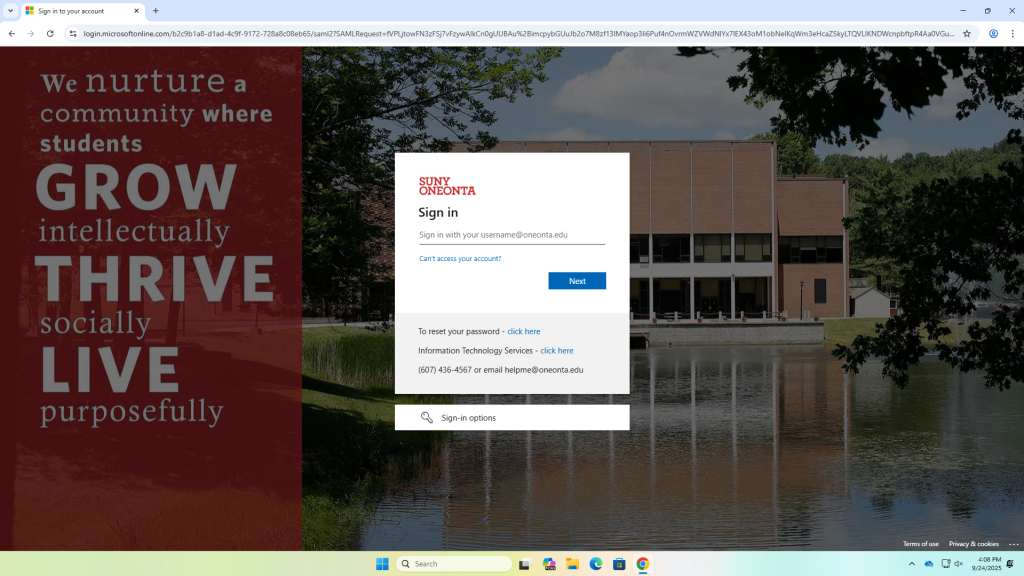
2. Next, you will be asked to sign in with your SUNY Oneonta username and password.
3. On the next screen, fill in the following fields:
- user name (this can’t be changed, so choose wisely)
- your account type (student, alumni, faculty, or staff)
- your name (this name will be displayed)
Your display name may be changed later in the Settings area under My Profile.

NOTE: There is a difference between your username, which you use to log in to the SUNY Oneonta site, and your display name, which is visible to others. Your username, for example, might be ‘jsmith24’ but you might prefer your visible, display name to reflect you professionally or in your SUNY Oneonta roll as student, professor, or staff member: ‘Jane Smith,’ for example, or ‘Professor Jane Smith’
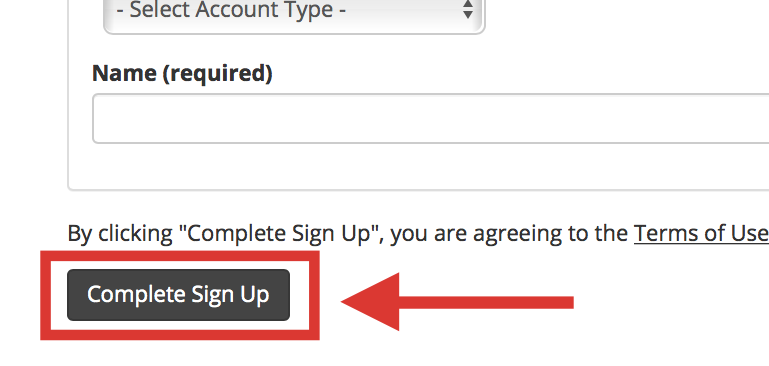
- Once finished, click Complete Sign Up.
You do not need to go through this process again. When you want to come back to SUNY Oneonta OpenLab, simply go to our homepage (https://openlab.oneonta.edu/), and log in with your normal SUNY Oneonta username and password.